


Finance
Set up your clinic's Stripe account and what to do when it stays pending
Setup has two parts: creating the account in seufisio pay (2 minutes) and completing the registration on Stripe (5 to 10 minutes). Only the clinic can do the second part. Until the account is ACTIVE, charges cannot be generated.
- Updated: 07/10/2026
- 5 min read
Setup has two parts. The first is done in seufisio and takes two minutes. The second is done on Stripe's website, is done by the clinic, and takes the longest — and it is the only one seufisio cannot do for you.
Before you start — what the clinic needs to hand
- The clinic's tax number (and, if the clinic is a company, the company's details and the legal representative).
- The clinic's address and an identity document for the representative.
- A bank account in the clinic's name — that is where the money goes.
- An email address the clinic genuinely controls, because that is where Stripe sends verification requests.
Step 1 — Create the account in seufisio pay
- 1
Open the Registration tab
Sign in as an administrator, click the gear icon in the top right corner, then click seufisio pay. On the Registration tab, click Create Account.
- 2
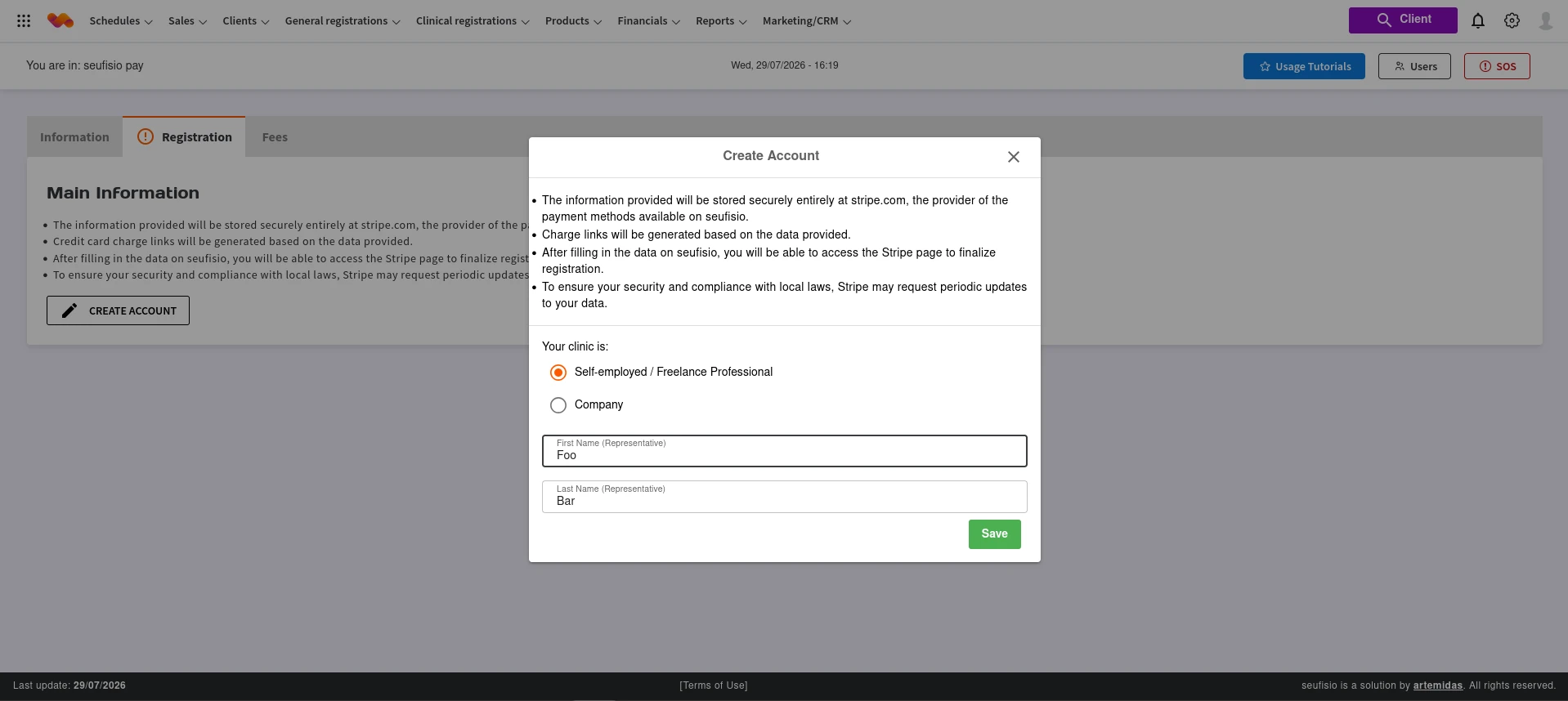
Choose the type and the representative
State whether the clinic is Sole Trader / Self-Employed or Company, and the representative's name (the person responsible for the account).
- 3
Save
Click Save. The system confirms with All set!. Click Access to go to Stripe.
Step 2 — Complete the registration on Stripe
The clinic is taken to Stripe's website and fills in the requested details: company or professional details, address, identity document and bank account.

Fill in the clinic's real details. If Stripe asks for documents (identity, proof of address, proof of activity), the clinic is the one who must send them — seufisio has no copy of that documentation.
Step 3 — Go back to seufisio and check
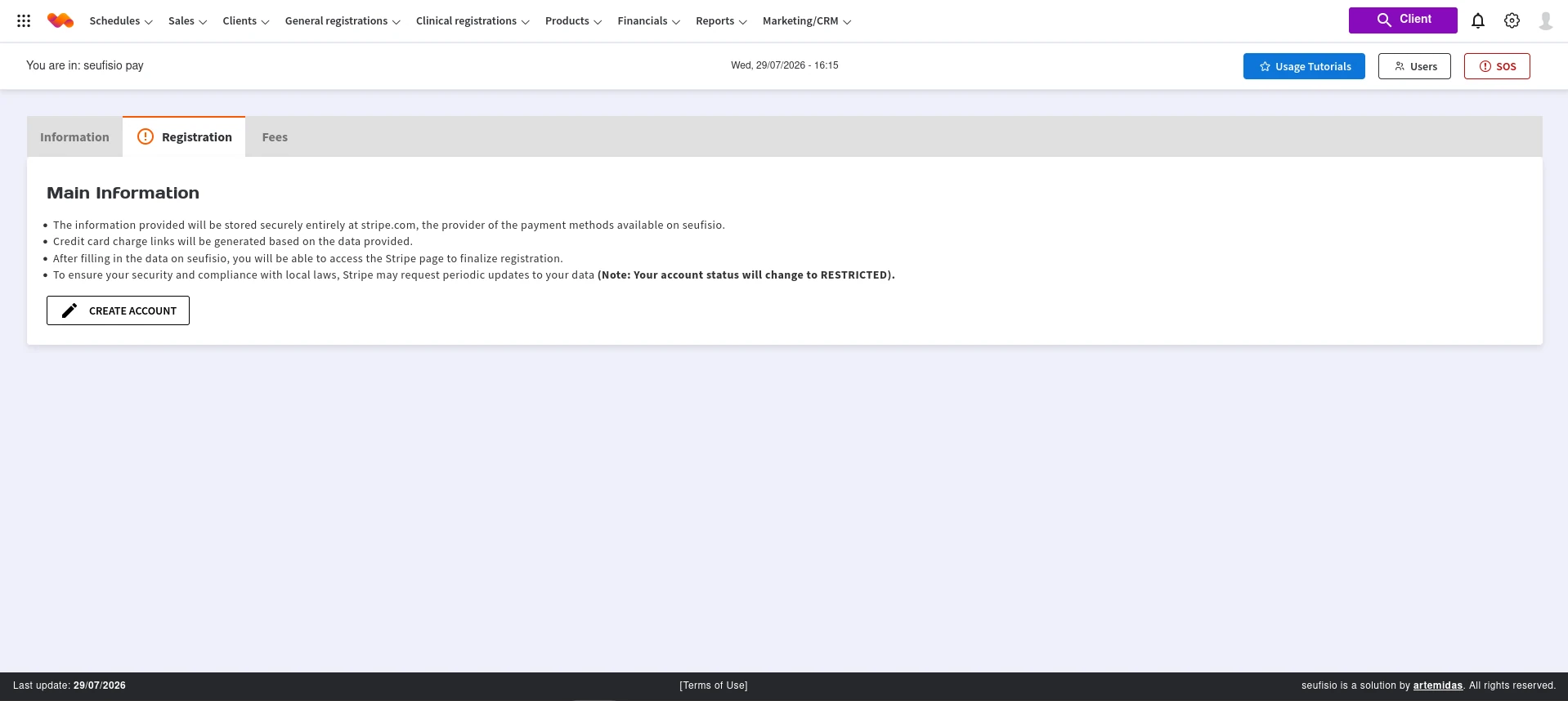
When you finish on Stripe, go back to the system. Within seconds the account status updates automatically. The Registration tab shows the Account status line.
If the account stays Pending
Pending means: the account was created, but the Stripe registration is not complete. Until it is ACTIVE, charges cannot be generated — the system rejects them with the account-has-pending-issues message.
- You created the account but did not finish on Stripe — Go back to the Registration tab and click Complete Registration.
- Documents are missing or Stripe asked for information — Sign in to the Stripe dashboard and answer the request. The clinic has to do this; seufisio has no access to that account.
- The details do not match (tax number, address, bank account name) — Correct them on Stripe. The bank account must be exactly in the clinic's name.
- The bank account is not eligible for instant transfer — Use a standard transfer, or another bank account. See the Settings tab.
Verification time is set by Stripe and depends on what it asks for: it can be minutes or it can be several days. Until the account is ACTIVE there is no shortcut — and seufisio cannot speed that process up.
What to do once the account is ACTIVE
- Set the payout schedule on the Settings tab — daily, weekly or manual (only when you request it).
- Review the payment methods you want to accept, on the same tab.
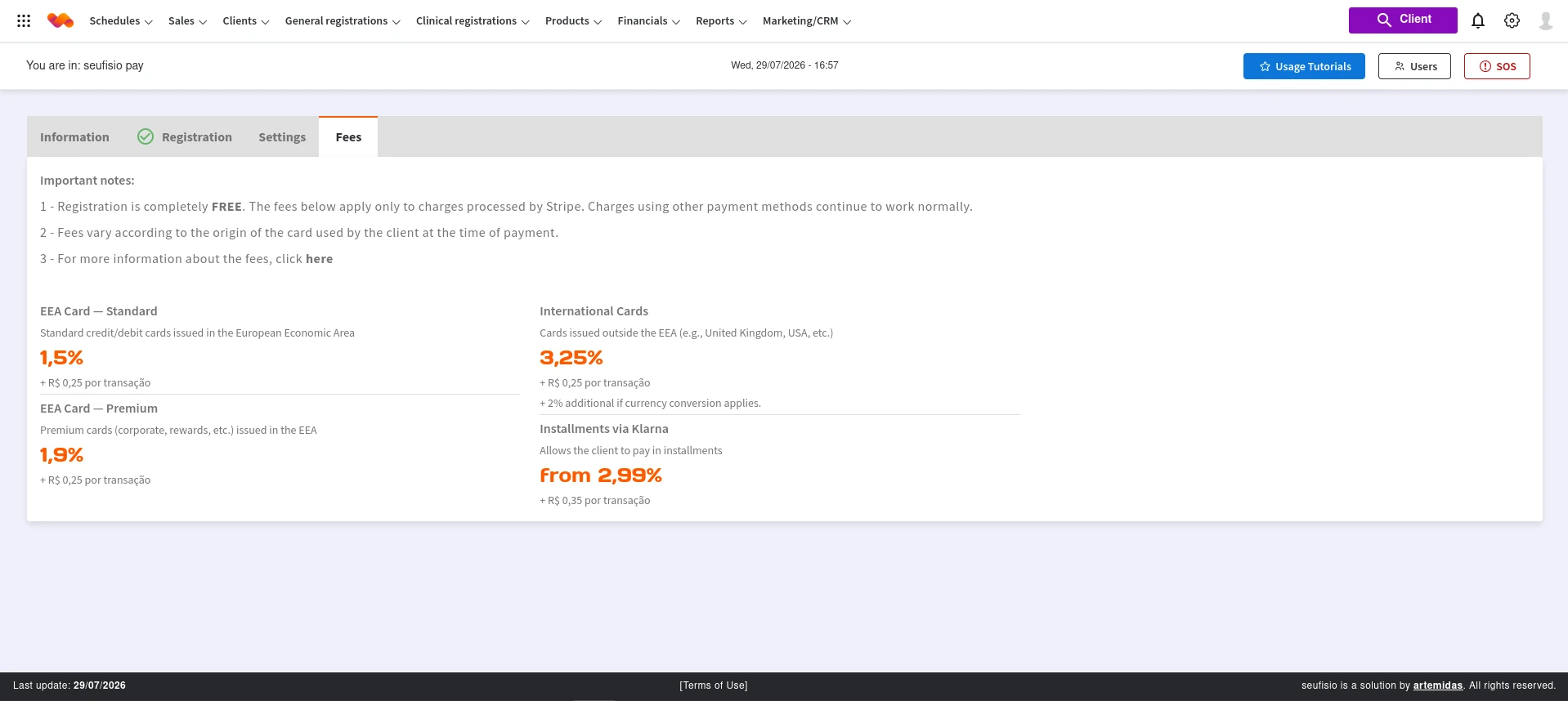
- Check the processing fees on the Fees tab, to know what each payment nets.
- Add the clinic's bank account, if you have not done so yet, to start receiving money.
Was this article helpful?